
Workspace
One cloud workspace for the whole team.
- Dashboard
- Multitask Window
- Cloud Workspace
- Team, Seats & Permissions
- Settings
- AI Manual Assistant
- Support & Help
- Languages
- Accessibility
Dashboard
Stock, allocations, roasting and money owed on one screen.
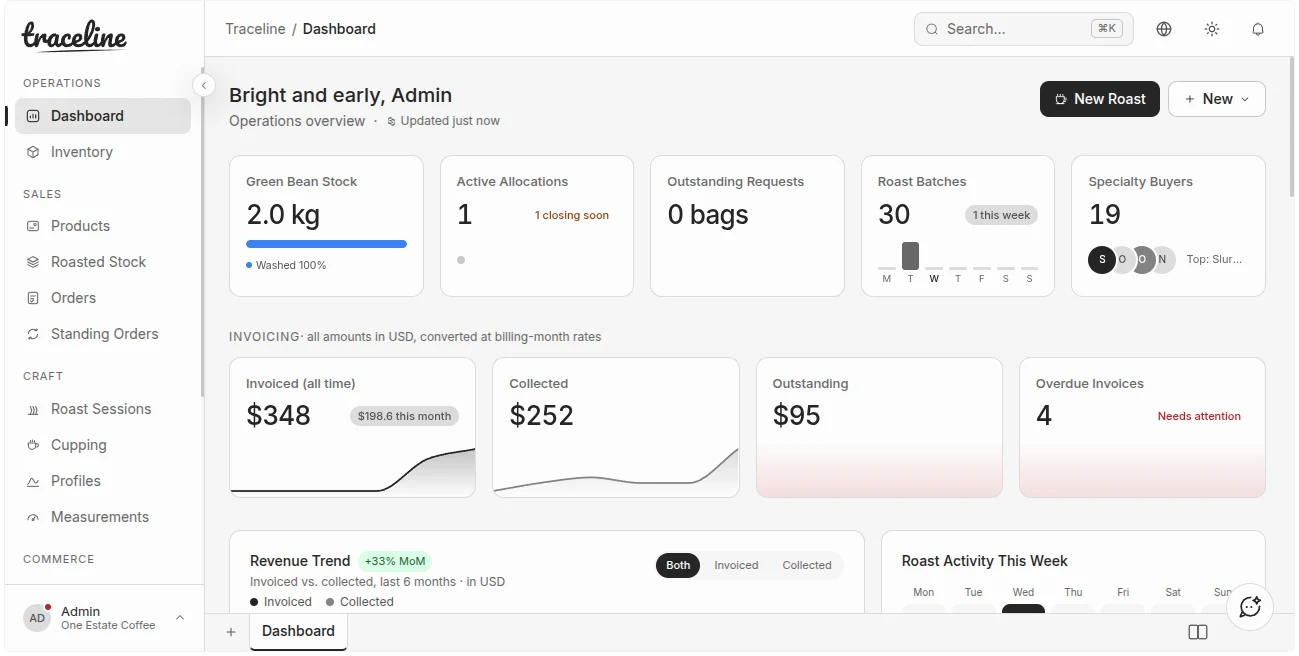
A single landing screen with:
- Stock on hand, allocations in progress, roasting activity and money owed to you
- Invoicing tiles in your chosen reporting currency
- Recent activity feed and shortcuts to common tasks
- Roaster-hardware status panel
- Global search across the workspace
- Announcements from the Traceline team
Multitask Window
Two screens side by side in one window, resizable, both live.
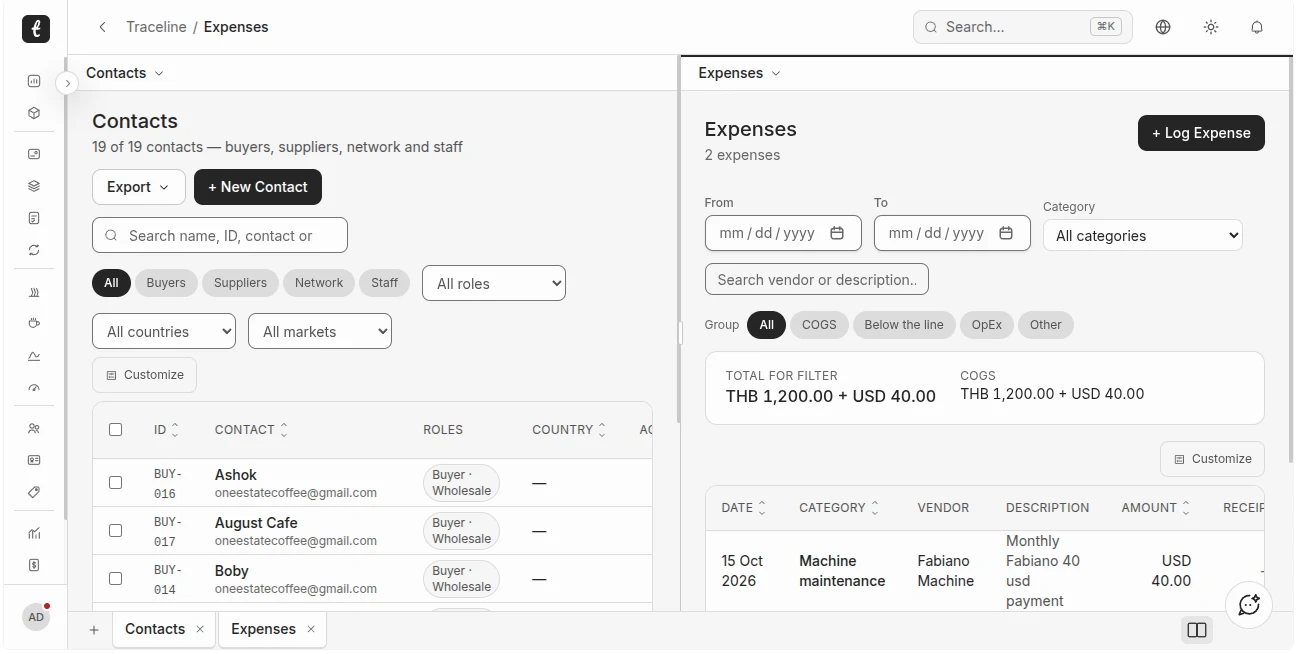
Work in more than one place at a time:
- Open two screens side by side in the same window, for example Contacts next to Expenses
- Drag the divider to resize each side
- Both sides stay live, so you can work in them at the same time
- Every open screen keeps its own tab along the bottom
Cloud Workspace
A full cloud workspace for your roastery, included in your plan.
Your whole roastery lives in a cloud workspace, and it is part of the plan:
- Every roastery gets its own isolated workspace
- Opens in any browser on desktop, tablet or phone, with nothing to install
- No separate hosting fee: the infrastructure is built for it and included in every plan
- Export your data to CSV or JSON at any time
Team, Seats & Permissions
Invite teammates and set access per seat and per area.
- Invite teammates by email
- Access levels per seat: Admin, Roaster, Evaluator, Viewer, or Custom (None / View / Edit per area: inventory, roasting, cupping, allocations, contacts, finance, measurements and more)
- Change a person's access at any time; the last admin cannot be removed
- Viewers cannot see invoices, credit notes, expenses or finance
- Only Admins can delete records, manage the team, billing and settings
| Admin | Everything, including billing, team and deleting records. |
|---|---|
| Roaster | For your head roaster and production team. |
| Evaluator | For QC and cupping. |
| Viewer | Read-only. Cannot see invoices, credit notes, expenses or finance. |
| Custom | None, View or Edit per area: inventory, roasting, cupping, allocations, contacts, finance, measurements and more. |
Settings
Bank details, logo, reporting currency, finance defaults and FX.
- Invoice bank/remittance details, logo and notes
- Reporting currency
- Finance defaults
- Monthly FX rates
- Company profile
AI Manual Assistant
Ask how to use the platform and get answers from the manual.
- Ask questions about how to use the platform in plain language and get answers drawn from the user manual.
Support & Help
In-app tickets, a built-in manual and planned-maintenance notices.
- In-app support tickets
- Built-in user manual and AI assistant
- Announcements and a maintenance page for planned work
Languages
Nine languages across Southeast Asia and beyond.
- English, Lao, Thai, Vietnamese, Khmer, Burmese, Malay, Indonesian and Filipino.
Accessibility
Keyboard-navigable and screen-reader-labelled.
- Keyboard-navigable, screen-reader-labelled forms, buttons and dialogs.
Clear states, so nothing slips.
Every record moves through defined stages, and the rules are checked for you.
| Roast profile | Development Pending Approval Approved |
|---|---|
| Journal document | Missing Draft Under Review Published |
| Invoice | Draft Sent Overdue Partial Paid |
| Contact | Prospect Active Inactive Archived |